Procedure
Make a scoped policy decision, govern a time-bound exception, and reevaluate
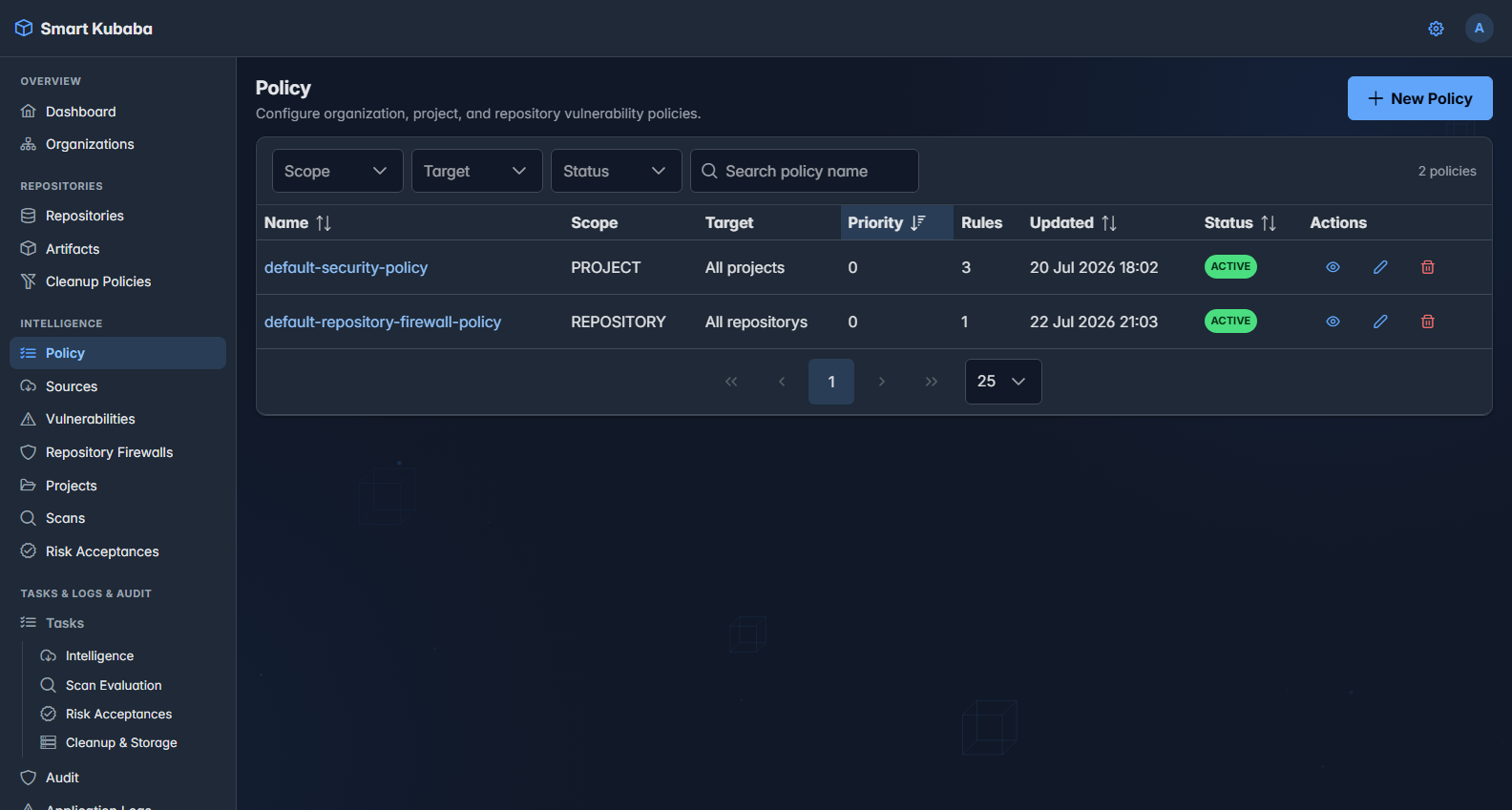
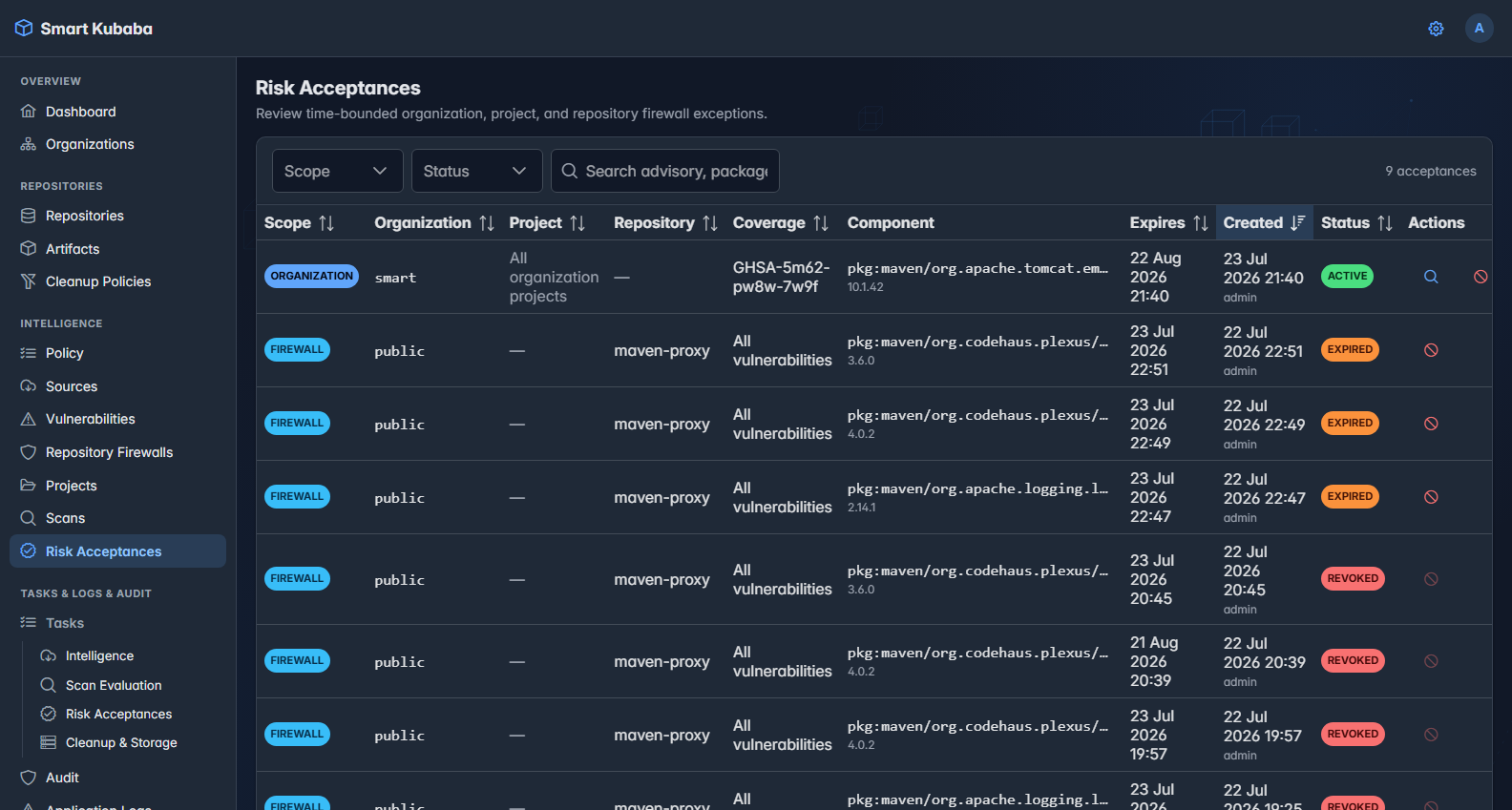
Govern organization, project, and repository policies together with time-bound risk acceptance created from a scan finding or repository-firewall block.
Role and prerequisites
Policies require ManagePolicy; reading risk acceptance requires ViewRiskAcceptance, and creating or revoking it requires ManageRiskAcceptance.
- Scan-finding acceptance requires a versioned canonical PURL on a completed scan; firewall acceptance requires a current BLOCK and an enabled supported proxy firewall.
- Expiry must be in the future; ticket or reference is optional. Confirm organization, project, or firewall scope before submission.
Procedure steps
- On Policy, select scope and All or Selected target; define priority, active state, and 1-50 ordered rules.
- Run a scan and verify the applied decision and immutable violation snapshots on the Policy tab.
- On an eligible Findings row, choose Accept Risk; confirm Organization or Project scope, expiry, and reference, then submit.
- For a Repository Firewall block, start acceptance from the package/version row and confirm it creates one package-level acceptance covering all current vulnerabilities.
- Monitor the durable job in Tasks > Risk Acceptances; after scan or artifact reevaluation, inspect the new decision and acceptance snapshot.
- When the exception is no longer valid, revoke it on Risk Acceptances with a mandatory reason; when needed, create a new acceptance with a new expiry only from a revoked firewall acceptance.
Success criteria
- Matching active policies are cumulative; scan decisions follow BLOCK > WARN > PASS, while repository firewall applies only BLOCK rules.
- Risk acceptance does not delete the underlying finding; acceptance identity, actor, expiry, scope, and evaluation-time snapshot are preserved.
- Firewall lifecycle moves from ACCEPTANCE_PENDING to RISK_ACCEPTED or ACCEPTANCE_FAILED; revocation or expiry does not rewrite historical evidence.
Failure and security boundaries
- A duplicate active scope/advisory/package/version or firewall repository/package/version acceptance is rejected with 409.
- The client cannot freely invent stored finding identity; acceptance starts only from a stable finding or current firewall block.
- Revocation never deletes history, and an ordinary acceptance cannot be reactivated; firewall reacceptance creates a new UUID, actor, and expiry.
- Repository sharing does not expand organization risk-acceptance scope; ownership remains the boundary.